
Add a customer to the block or allow list
Overview
Use the block list to stop future deliveries to a specific customer. Use the allow list to let a customer bypass the security rules on your product database. Both lists live on the database itself, so a block or allowance you add applies to every connected channel that delivers from it, starting with the next order.
Steps
Add from the customer list
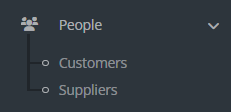
Open People then Customers in Keysender.
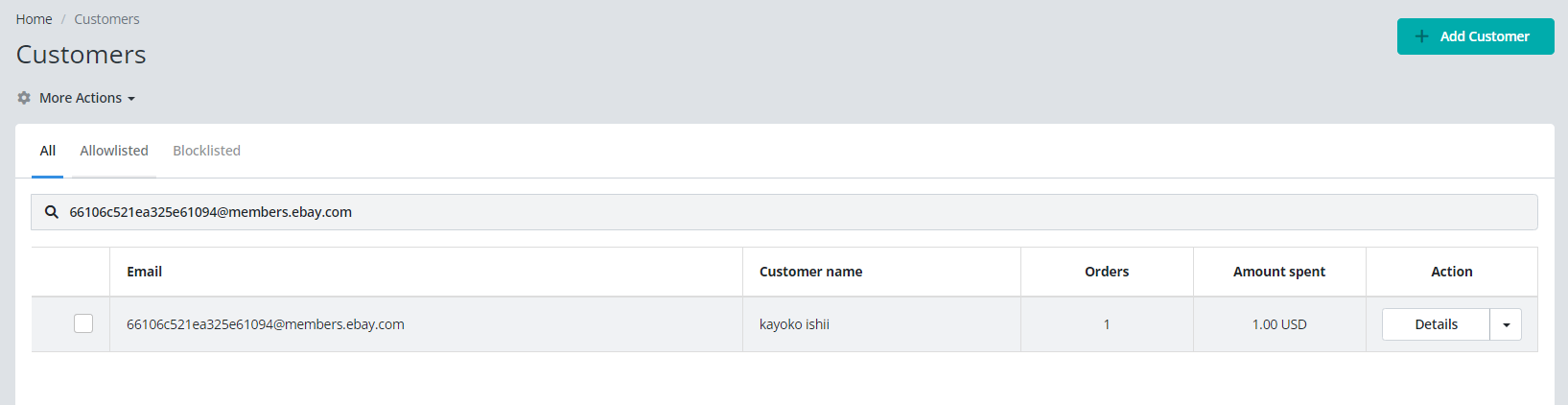
Search for the customer you want to block or allow.
Click Action then Details on the customer row.
Select Blocklist or Allowlist.
Add manually
- Open People then Customers in Keysender.
- Select the Block list or Allow list tab.
- Click Add Customer.
- Enter the customer's email.
Confirm it works
The customer appears in the selected list under People then Customers. Blocked customers no longer receive deliveries. Allowed customers bypass your product database security rules.
If it still is not working
Submit a claim so Keysender Support can review it.
Frequently asked questions
What is the difference between the block list and the allow list?
The block list stops future deliveries to a specific customer. The allow list lets a customer bypass the security rules on your product database. Blocked customers no longer receive deliveries, while allowed customers skip your database security checks.
How do I block a customer I can find in my customer list?
Open People then Customers, search for the customer, then click Action then Details on their row. Select Blocklist or Allowlist. The customer then appears in the chosen list under People then Customers.
Can I add a customer who is not in my customer list yet?
Yes. Open People then Customers, select the Block list or Allow list tab, and click Add Customer. Enter the customer's email to add them manually. They then appear in the list you selected.