Reading this in another language? Use your browser's built-in translate option. Button and field names stay in English on purpose, to match what you see in Keysender.
Keysender has two ways to send a buyer more than one code per order: bundles and bonus codes. A bundle is a product in its own right, backed by up to five component inventories, delivering every component's codes in one message. Bonus codes are not products; they add codes from a second inventory to one eBay or Shopify listing.
TL;DR
Make sure you have:
Open Inventory in Keysender and click Add New.
Set the type to Bundle, enter a name and a SKU, and save.
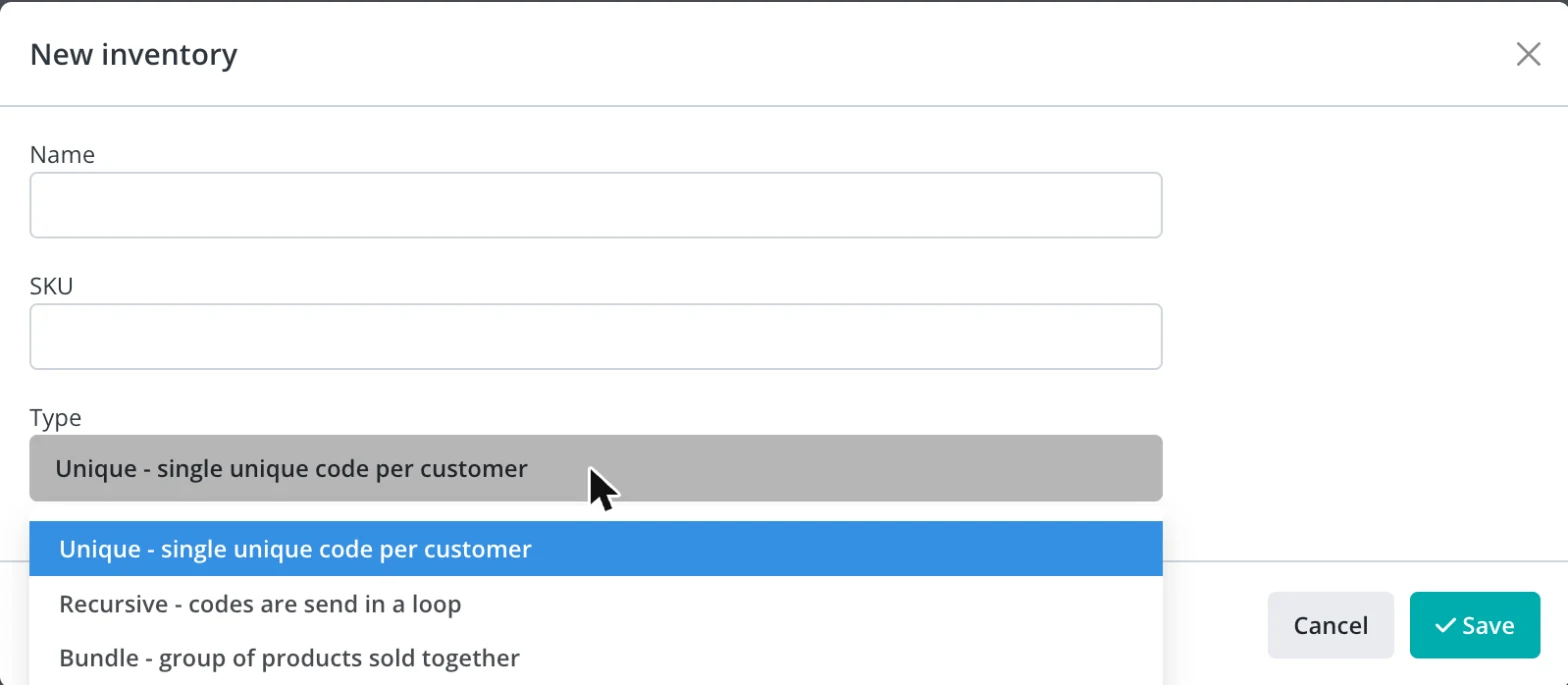
The bundle appears in the inventory list under the Bundles filter.
Open the bundle and click Add Component. Pick a component inventory and the quantity of codes it contributes to each sale, then save.
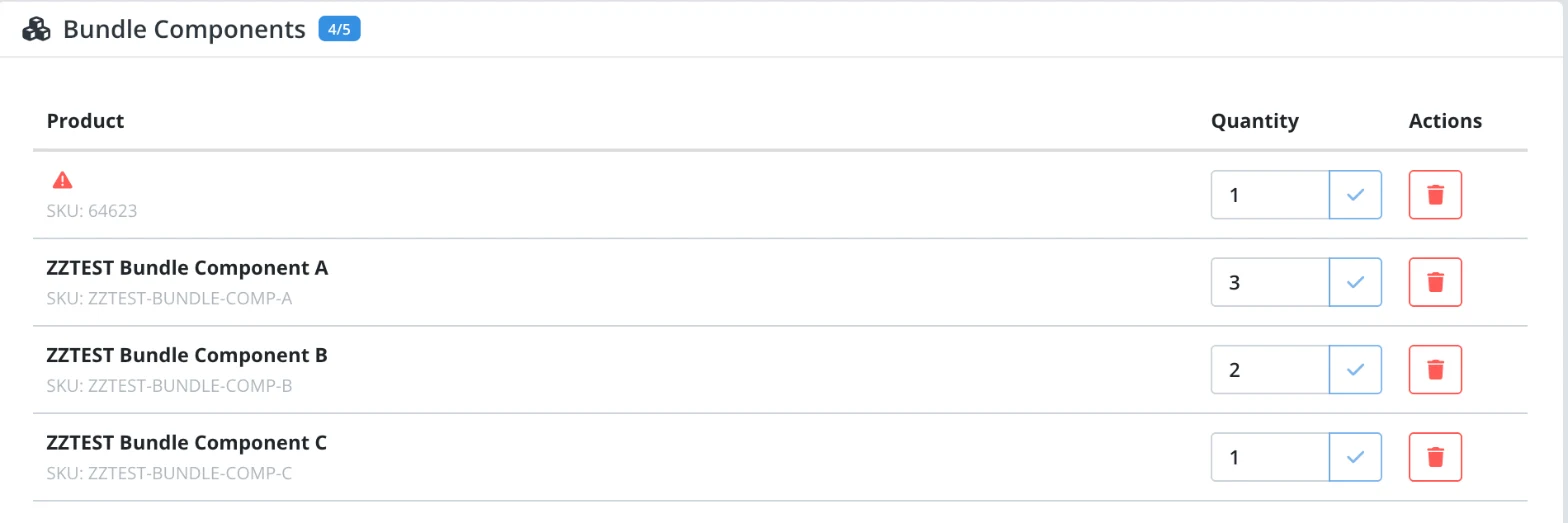
Repeat for every component inventory, up to five. A bundle's components are regular inventories only, never another bundle.
Check the stock indicator. A bundle shows In stock or Out of stock rather than a number: it is in stock while every component holds at least its per-sale quantity. On the bundle page, any component below that quantity is marked so you know which inventory to refill.
List the bundle on a channel exactly as you would any product. When a buyer pays, Keysender takes the required codes from every component and delivers them to the buyer in one message.
To add stock to a bundle, add codes to its component inventories; the bundle itself has no upload option.
Where you can sell a bundle. A bundle lists like any other product on the channels that fulfill at the moment of sale, including Shopify, eBay, WooCommerce, BigCommerce, Ecwid and MercadoLibre, and on your own site through the API or PayPal buttons. Kinguin, G2A, Eneba, Gamivo and K4G reserve stock ahead of each sale, so bundles do not appear in their product pickers; on those marketplaces, sell each component inventory as its own product.
A worked example. A Windows 11 Pro inventory and an Office 2024 inventory, each added at quantity 1, make a two-key bundle sold under one SKU. Both inventories keep selling on their own listings at the same time. Nothing is set aside in advance: the bundle draws one code from each only when it sells, and each inventory drops by one.
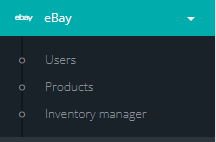
Open the connected channel menu in Keysender and select Products.
Find the listing you want to configure and click Details.
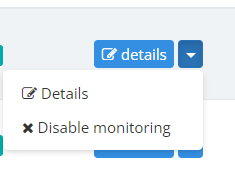
Click Bonus Codes at the top of the details page.
Select a bonus code option:
The option names count the total the buyer receives, not the extras. To send three codes per sale, choose Triple, or Custom with two bonus codes.
Select the inventory the bonus codes should be drawn from.
If you selected Custom, set the delivery details in the pop-up.

Click Save Changes.
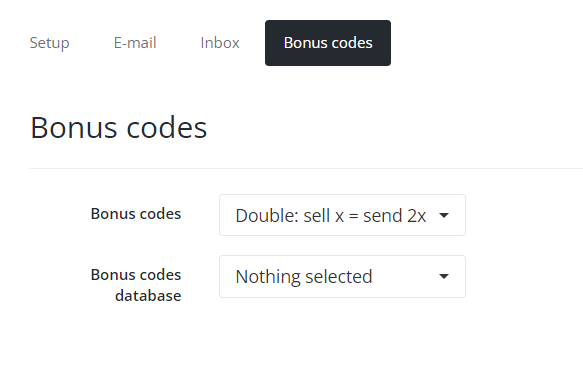
A worked example. An eBay listing connected to a Windows 11 Pro inventory, set to Triple with an antivirus key inventory as its bonus source, delivers three codes per sale: one Windows key and two antivirus keys, in one message. The listing's own stock drops by one and the bonus inventory drops by two.
Bonus codes are best effort: if the bonus inventory is empty, the order still delivers the main code, and the missing bonus codes are not retried. Bonus codes are available on eBay and Shopify listings.
A listing can use both mechanisms at once. Bonus codes attach to the listing and a bundle is the product behind it, so a bundle listing with bonus codes set delivers every component inventory's codes plus the bonus codes in the same message.
For a bundle, create a test sale under Sales then Sale Orders with Create Order: the order delivers one message containing every component's codes, and each component's available count drops by its per-sale quantity. For bonus codes, place a test order on the listing: the buyer receives the main code plus the configured bonus codes.
| Symptom | Cause | Action |
|---|---|---|
| A bundle order did not deliver | One of its components was below its per-sale quantity | Add codes to that component inventory, then open the order under Sale Orders and resend it. A held bundle order waits for that resend |
| A bundle is missing from a marketplace's product picker | Kinguin, G2A, Eneba, Gamivo and K4G reserve stock ahead of the sale and do not carry bundles | Sell each component inventory as its own product on those marketplaces |
| A component did not appear after Add Component | The bundle page had not refreshed | Reload the bundle page. If the component is still not listed, add it again |
| Bonus codes did not arrive, but the main code did | The bonus inventory is empty, or the option is still Disabled | Add codes to the bonus inventory, or select Double, Triple or Custom |
| A bundle looks Out of stock but every component has codes | The stock check reads each component's available count against its per-sale quantity, and one component's count has not refreshed | Reload the bundle page; if it still shows out of stock, check each component's available count directly |
Submit a ticket with the bundle or listing name, the order id, and the available count of each component inventory at the time of the sale, so Keysender Support can review it.
Bundles and bonus codes both deliver through the template attached to the listing, so the template decides how the buyer sees the codes.
[CODE] prints every code the order delivers, each on its own line: the listing's own codes first, then the bonus codes, and for a bundle every component inventory's codes. There is no separate variable for bonus or bundle codes, so keep [CODE] in the template.[NL] inserts a line break. Use it to keep an instruction on its own line above the codes, for example Your codes:[NL][CODE].[ORDER_NUMBER], [PRODUCT_NAME] and the other order and business variables work as on any listing. The complete list is in Fully customizing an HTML email template.Edit the template as described in Customizing email and inbox templates, then send yourself a test order before you change a live listing.
A bundle is a product in its own right, backed by up to five component inventories, that delivers every component's codes together. Bundles sell on the channels that fulfill at the moment of sale, such as Shopify and eBay, not on Kinguin, G2A, Eneba, Gamivo or K4G, which reserve stock ahead of the sale. Bonus codes are a setting on one eBay or Shopify listing that adds codes from a second inventory to each order, best effort.
The bundle shows Out of stock and the empty component is marked on the bundle page. An order placed while a component is short does not deliver; add codes to that inventory, then resend the order from Sale Orders.
No. A bundle's components are regular inventories only, up to five, and it has no upload option. Stock comes from those component inventories, so you add codes to them directly.
The names count the total the buyer receives. Double sends the listing's own code plus one bonus code, two in all. Triple sends the listing's own code plus two bonus codes, three in all. Custom counts bonus codes only, so the listing's own code is sent on top of the number you enter.
No. [CODE] prints every code the order delivers, the listing's own codes first and then the bonus codes, or every component inventory's codes for a bundle. [NL] adds a line break above them.
