Keysender has two ways to send a buyer more than one code per order. A bundle is one product backed by up to five inventories, sellable on any channel, delivering every component's codes in one message. Bonus codes add extra codes from a second inventory to a single eBay or Shopify listing.
Make sure you have:
To add stock to a bundle, add codes to its component inventories; the bundle itself has no upload option.
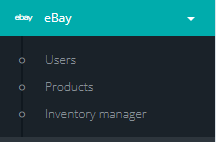
Open the connected channel menu in Keysender and select Products.
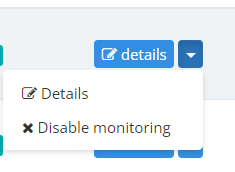
Find the listing you want to configure and click Details.
Click Bonus Codes at the top of the details page.
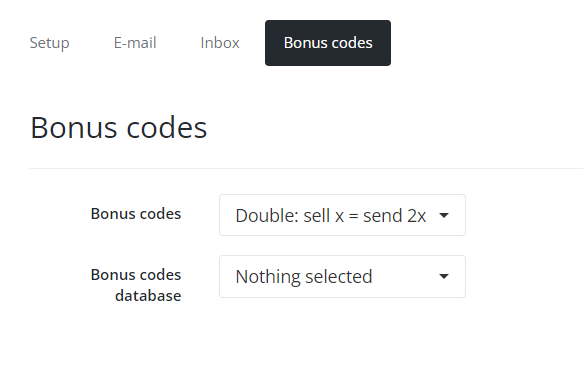
Select a bonus code option:
Select the inventory the bonus codes should be drawn from.
If you selected Custom, set the delivery details in the pop-up.

Click Save Changes.
Bonus codes are best effort: if the bonus inventory is empty, the order still delivers the main code. Bonus codes are available on eBay and Shopify listings.
For a bundle, create a test sale under Sales then Sale Orders with Create Order: the order delivers one message containing every component's codes, and each component's available count drops by its per-sale quantity. For bonus codes, place a test order on the listing: the buyer receives the main code plus the configured bonus codes.
Bundles and bonus codes both deliver through the template attached to the listing, so the template decides how the buyer sees the codes.
[CODE] prints every code the order delivers, each on its own line: the listing's own codes first, then the bonus codes, and for a bundle every component's codes. There is no separate variable for bonus or bundle codes, so keep [CODE] in the template.[NL] inserts a line break. Use it to keep an instruction on its own line above the codes, for example Your codes:[NL][CODE].[ORDER_NUMBER], [PRODUCT_NAME] and the other order and business variables work as on any listing. The complete list is in Fully customizing an HTML email template.Edit the template as described in Customizing email and inbox templates, then send yourself a test order before you change a live listing.
A bundle is a product in its own right, backed by up to five inventories, that any channel can sell and that delivers every component's codes together. Bonus codes are a setting on one eBay or Shopify listing that adds codes from a second inventory to each order, best effort.
The bundle shows Out of stock and the empty component is marked on the bundle page. An order placed while a component is short does not deliver; add codes to that inventory, then resend the order from Sale Orders.
No. A bundle contains regular inventories only, up to five, and it has no upload option. Stock comes from its components, so you add codes to those.
No. [CODE] prints every code the order delivers, the listing's own codes first and then the bonus codes, or every component's codes for a bundle. [NL] adds a line break above them.
