Connect your G2A seller account to Keysender to automate digital product delivery, pricing, and inventory sync for G2A orders. You copy the Client ID and Secret from G2A's API credentials into Keysender, then import the connection back into G2A. From then on, paid orders deliver automatically and your G2A stock follows the database count.
Make sure you have:
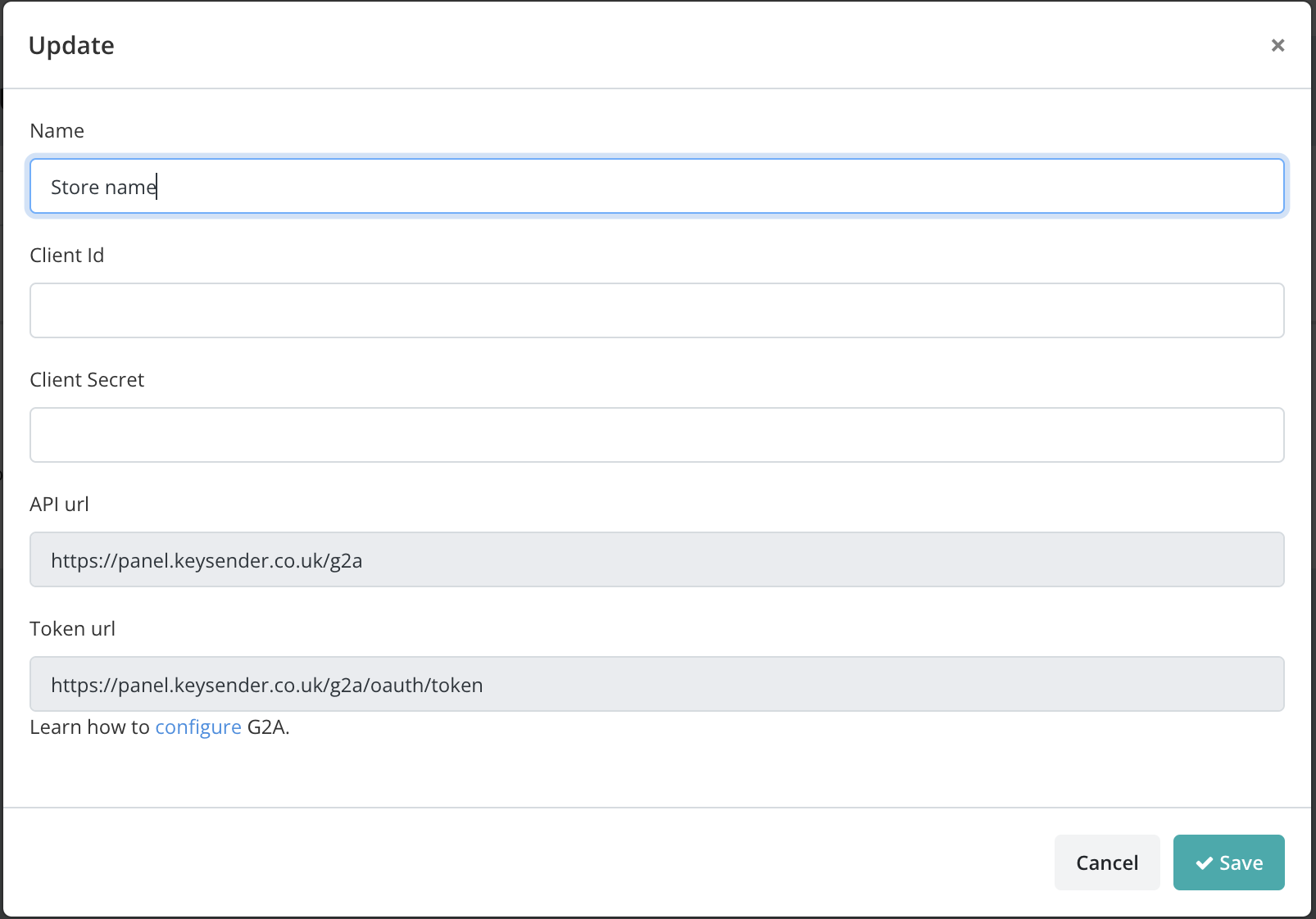
Open Integrations in Keysender, click Add New, select G2A, and click Next.
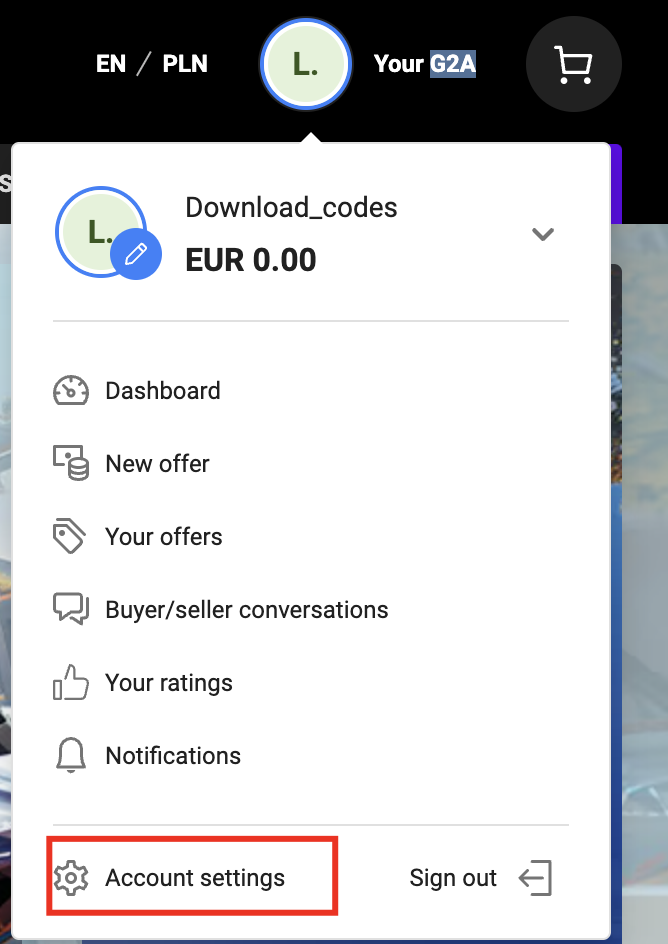
In G2A, go to Account settings, then Store settings, then API integration.
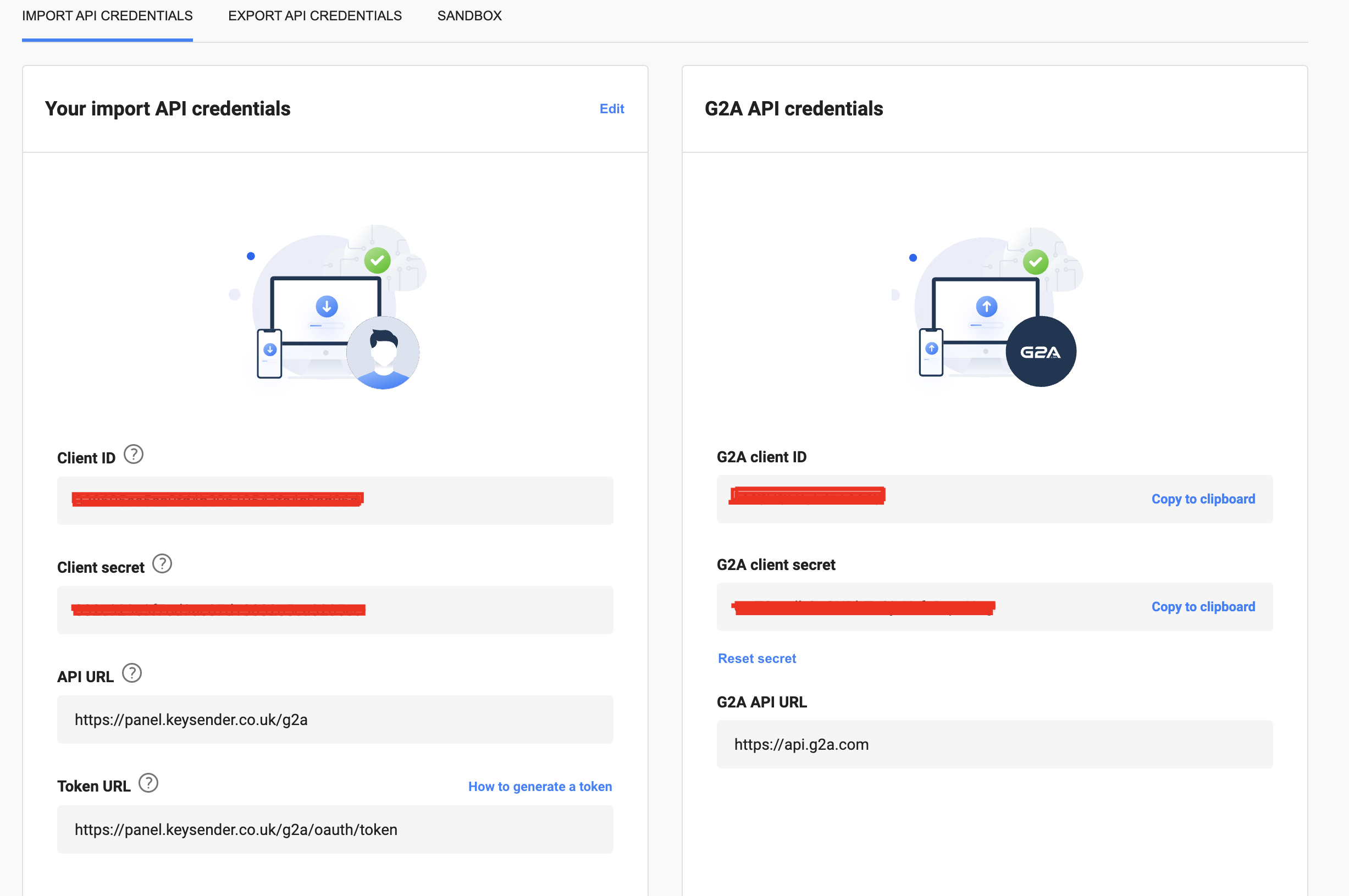
Start the verification process.
Copy the Client ID and Secret from the G2A API Credentials section.
Paste the Client ID and Secret into the matching fields in Keysender.
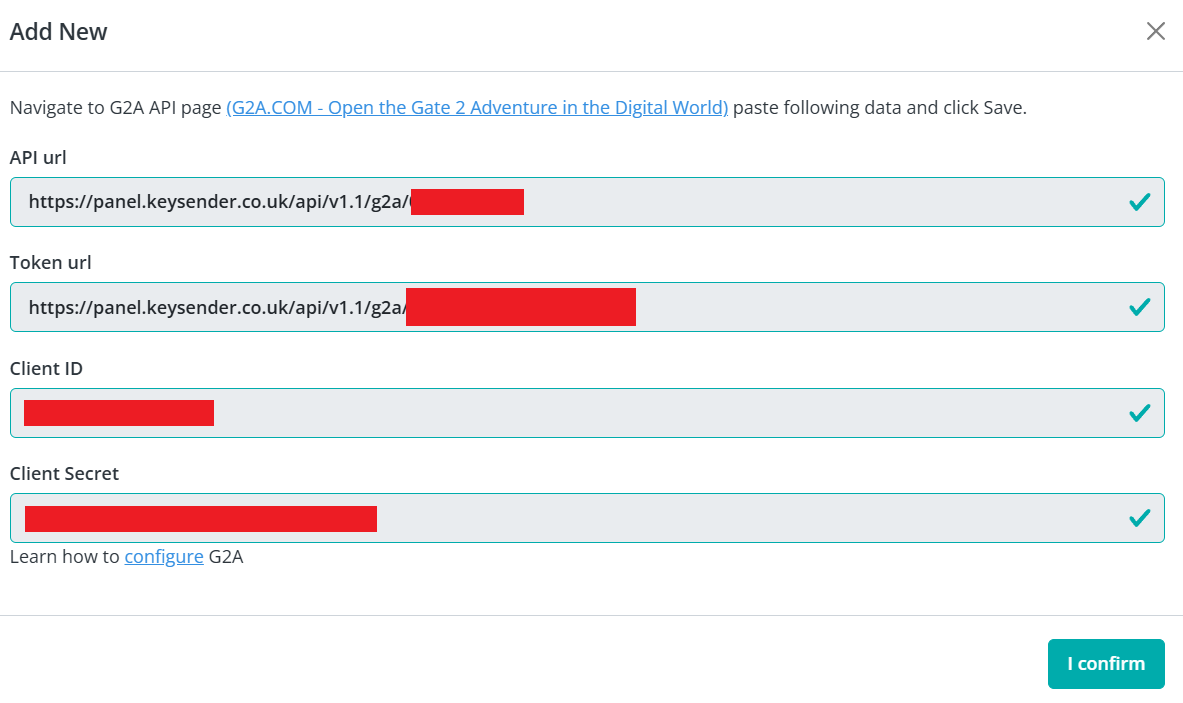
Copy the Keysender API URL and Token URL from the same page in Keysender.
https://panel.keysender.com/g2ahttps://panel.keysender.com/g2a/oauth/tokenIn G2A, click Import API Connection and paste both URLs into the G2A API Credentials section.
In Keysender, go to Account, then Settings, then API, and copy your Keysender API key and Secret.
Paste them into the Client ID and Client Secret fields in G2A.
Click Save. The integration is authorized and marked as Active.
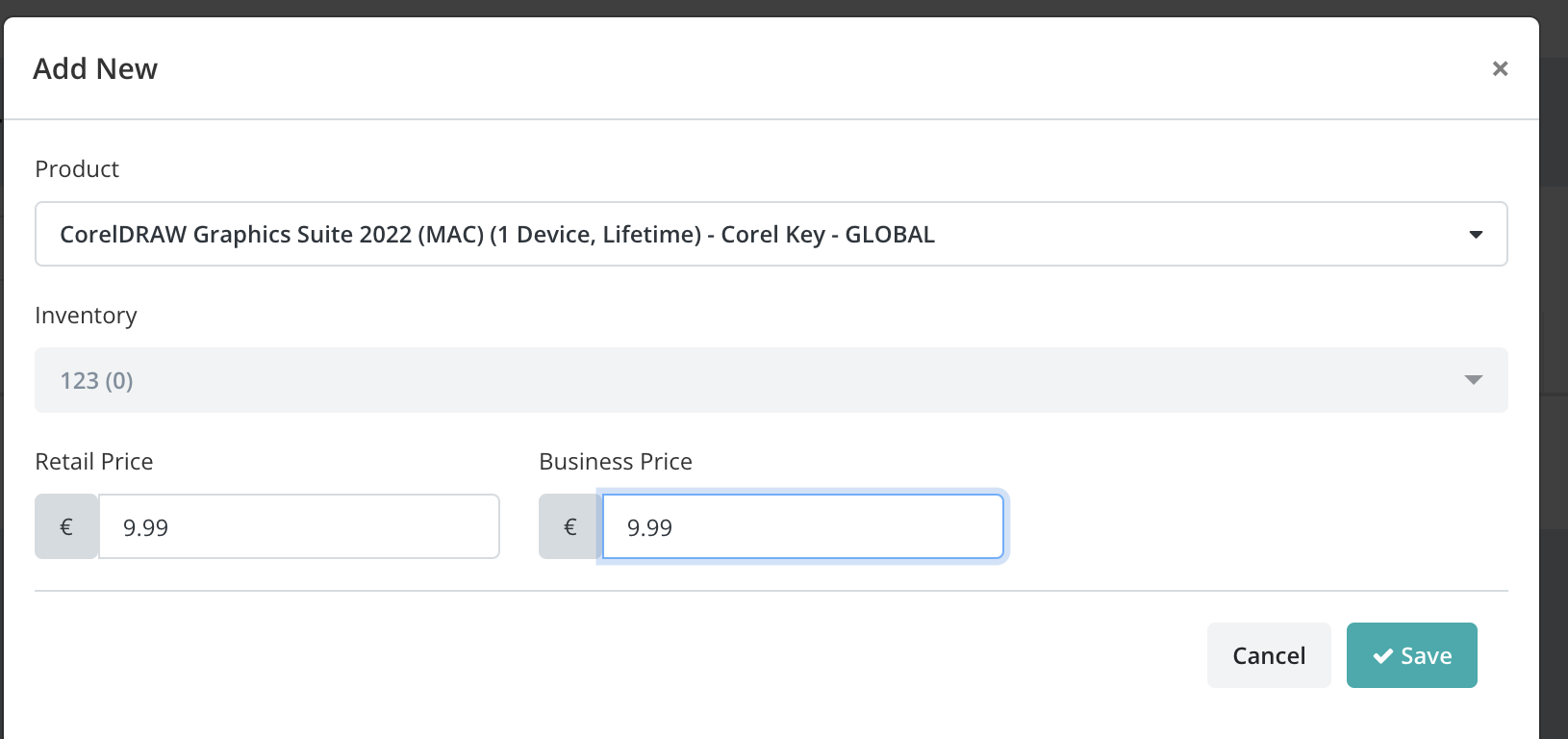
In Keysender, open G2A Products and click Add New.
Select the G2A product from the Product dropdown.
Select the Keysender inventory database to draw stock from.
Set the retail and business prices, then click Save.
Your offer then appears in Keysender. In the Product view you can adjust the retail and business prices, and inventory updates automatically based on your product database.
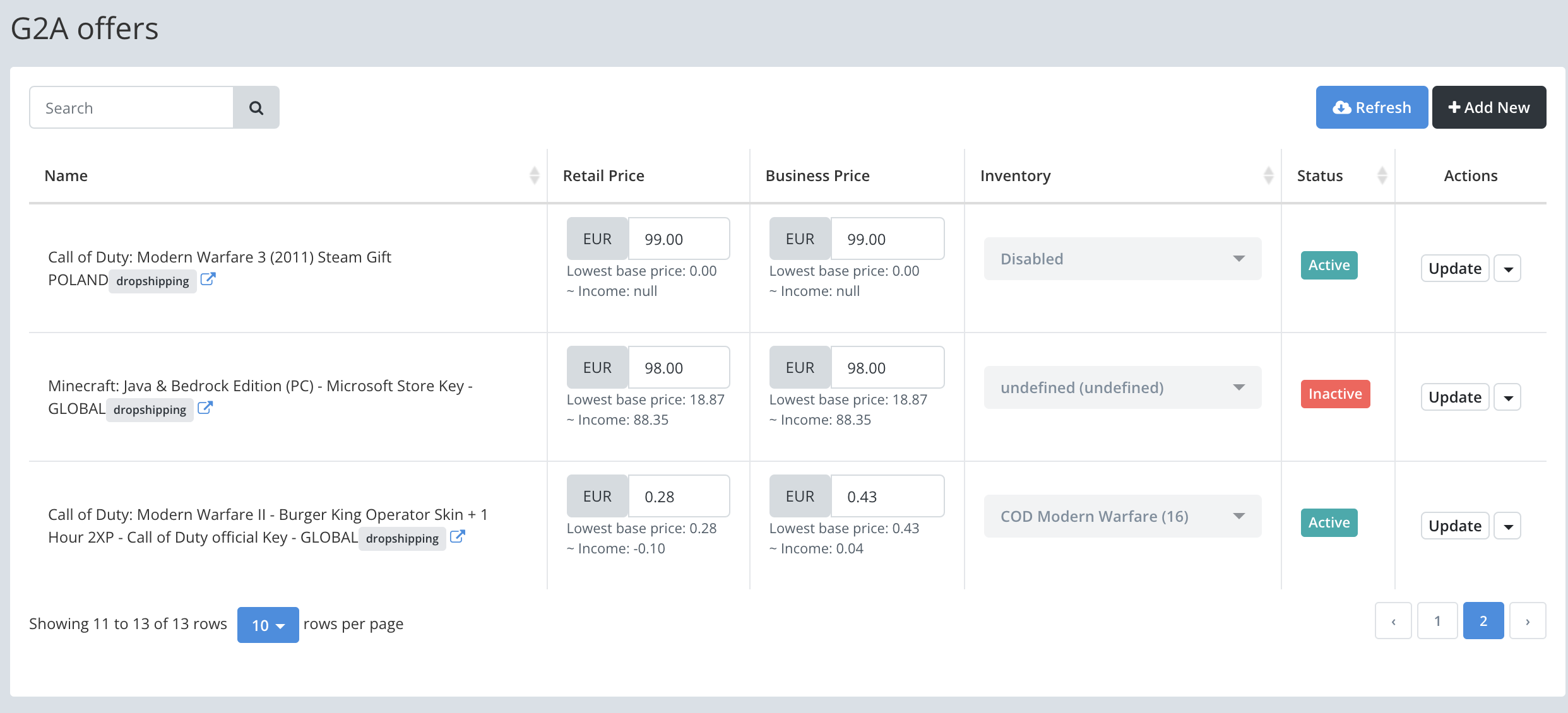
In Keysender, open G2A Products.
For each product, click the dropdown and select Auto Price.
Enter the lowest retail and business prices you are willing to accept.
Click Save.
The auto pricer runs every 5 minutes. It adjusts your prices to stay competitive while respecting your minimum prices, and it checks between Keysender sellers to avoid price wars.
Open Catalog, then Inventory in Keysender.
Click Edit on the product you want to sync.
Go to the Settings tab.
Enable Synchronize inventory levels across all integrations.
Inventory levels then sync across K4G, Kinguin, G2A, and Gamivo to keep stock consistent and prevent overselling.
Your G2A offer shows as a "Dropshipping" listing in the Your Offers tab on G2A. G2A sales appear on your Keysender Summary page with order details and assigned keys, and inventory updates automatically based on your product database.

Orders marked as "Reserved" on G2A are held temporarily. They are usually canceled within 6 hours but can take up to 24 hours, especially if they stay unpaid.
Submit a claim so Keysender Support can review it.
In G2A, go to Account settings, then Store settings, then API integration. Start the verification process, then copy the Client ID and Secret from the G2A API Credentials section. Paste both into the matching fields in Keysender.
Open G2A Products, select Auto Price for a product, enter the lowest retail and business prices you will accept, and click Save. The auto pricer runs every 5 minutes, keeping prices competitive while respecting your minimums and checking between Keysender sellers to avoid price wars. It is optional and in beta.
Orders marked as Reserved on G2A are held temporarily. They are usually canceled within 6 hours but can take up to 24 hours, especially if they stay unpaid. Paid G2A sales appear on your Keysender Summary page with order details and assigned keys.
