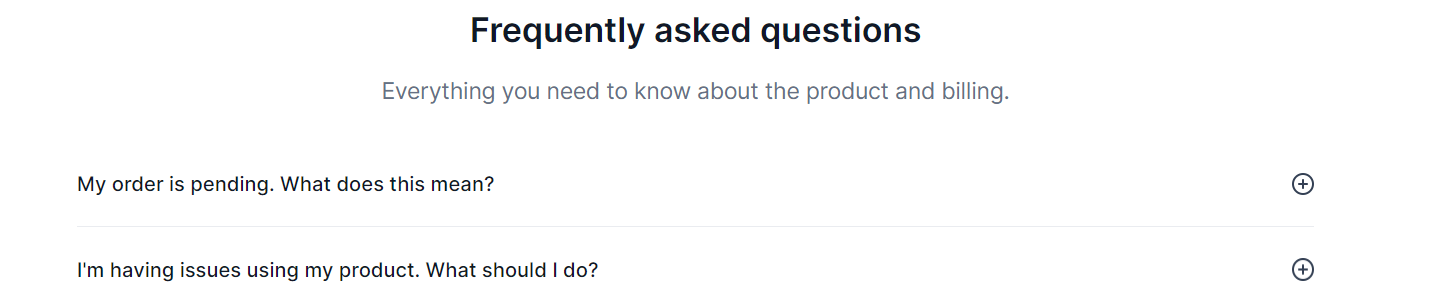
Add FAQ entries to your Access Page so guests can find answers to common questions without contacting support. The most useful entries cover how to redeem the code, which region or platform it works on, and what to do if activation fails. Each FAQ you add appears on every Access Page delivery for that product.
Open Products in Keysender, then select FAQs.
Click Add FAQ Record.
Enter the question and answer.
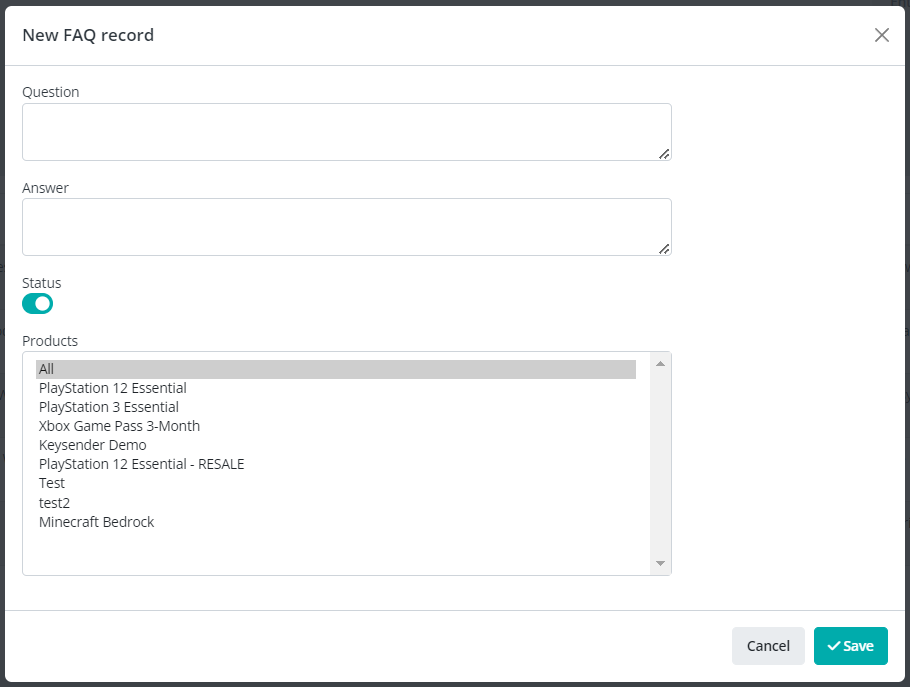
Set the status to Active.
Assign the FAQ to specific products, or click All to apply it to every product.
Review the question and answer for accuracy.
Click Save.
The FAQ record shows as active in your FAQs list and appears on the Access Page for the assigned products.
Submit a claim so Keysender Support can review it.
Open Products in Keysender, then select FAQs. Click Add FAQ Record, enter the question and answer, and set the status to Active. Once saved, the FAQ appears on the Access Page so guests can find answers without contacting support.
Yes. When you create an FAQ record, you can assign it to specific products, or click All to apply it to every product. The FAQ then appears on the Access Page for the products you assigned it to.
Set the status to Active before saving. Review the question and answer for accuracy, then click Save. The FAQ record shows as active in your FAQs list and appears on the Access Page for the assigned products.
